
Project Overview
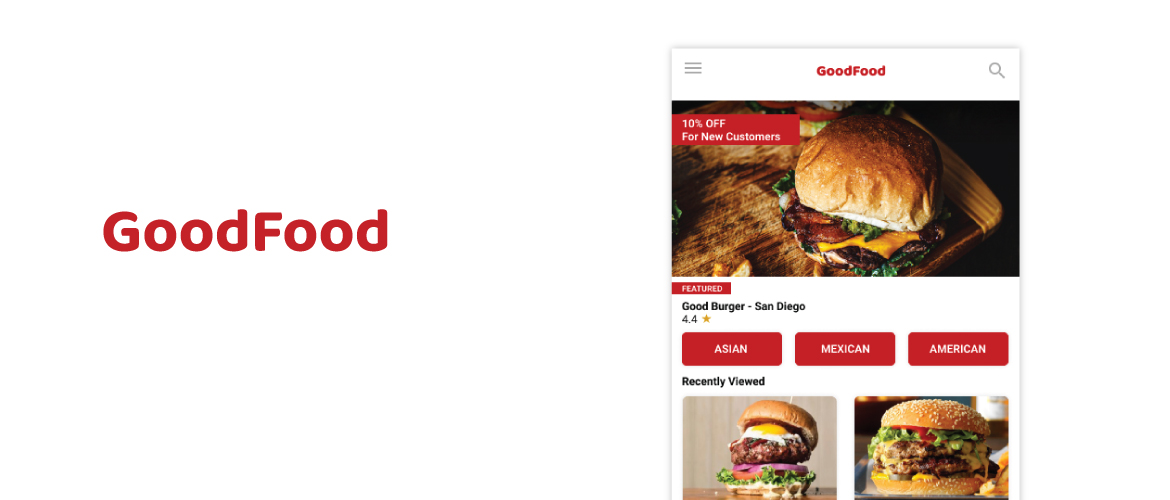
GoodFood is a organization that focused on creating apps for the dining industry. They are trying to revolutionize the dining industry by incorporating new technology to help companies and their customers. This product focus on helping users that are new to technology and will help them order food online easier.
Role: UI & UX Designer
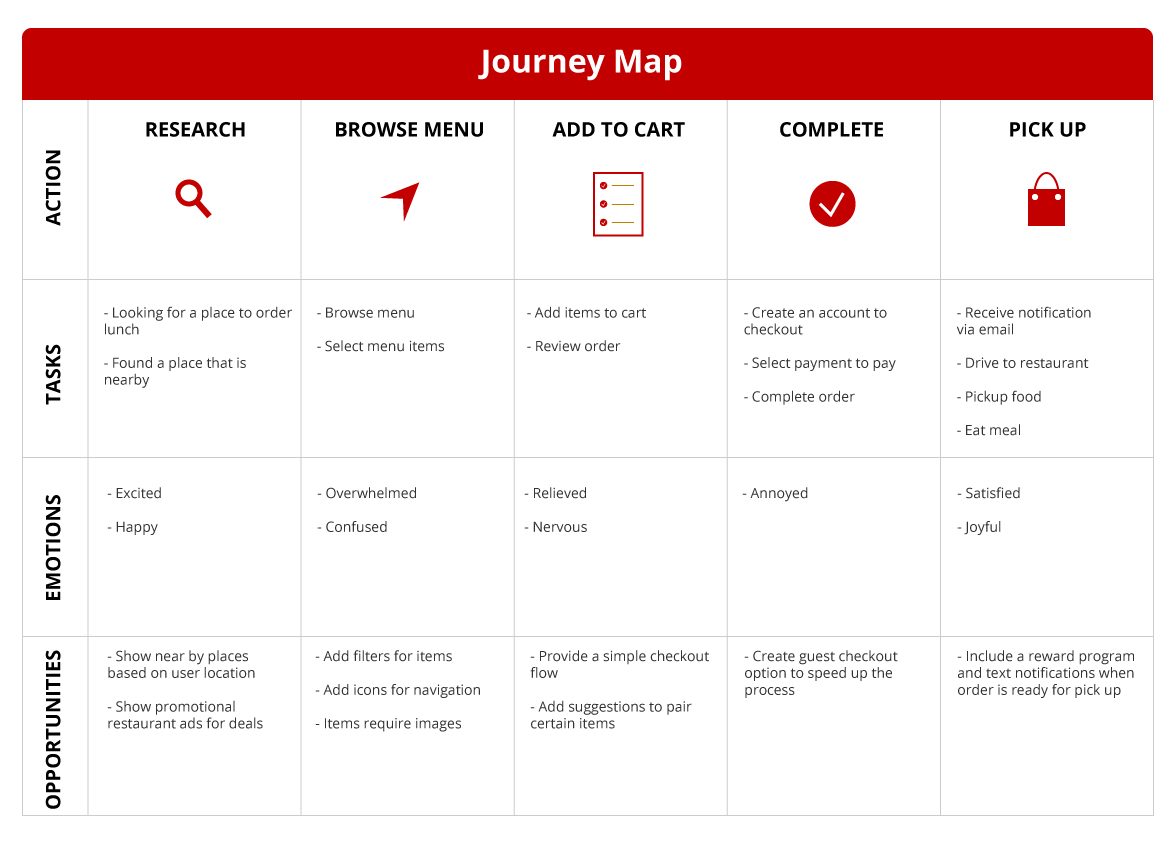
Methods: Journey Mapping, Solution Sketching, Wireframing, UI Design
Tools: Figma
Understanding the User
The Problem
Online ordering is trending during the pandemic. There are many platforms that are not user friendly and do not have the capability to order online. How do we help older generations that are having a tough time to place an order online?
The Goal
Design an app that will help improve online ordering for restaurants and make it user friendly.
User Pain Points

Accessibility
Platforms for ordering food are not equipped with assistive technologies and their content is not accessible

UI
Many platforms are text-heavy that are often difficult to read and navigation of the platforms is confusing

Experience
Online ordering for food does not provide the best user experience
User Research: Summary
Many interviews were conducted to ask about user experience during online ordering. Participants were between the age of 18-65 and those 35 and up particularly had problems with current online food ordering platforms. The feedback received during research made it very clear that users are having different experiences depending on their age and if there was an app that was more user friendly, more users that are 35 and up would use it.
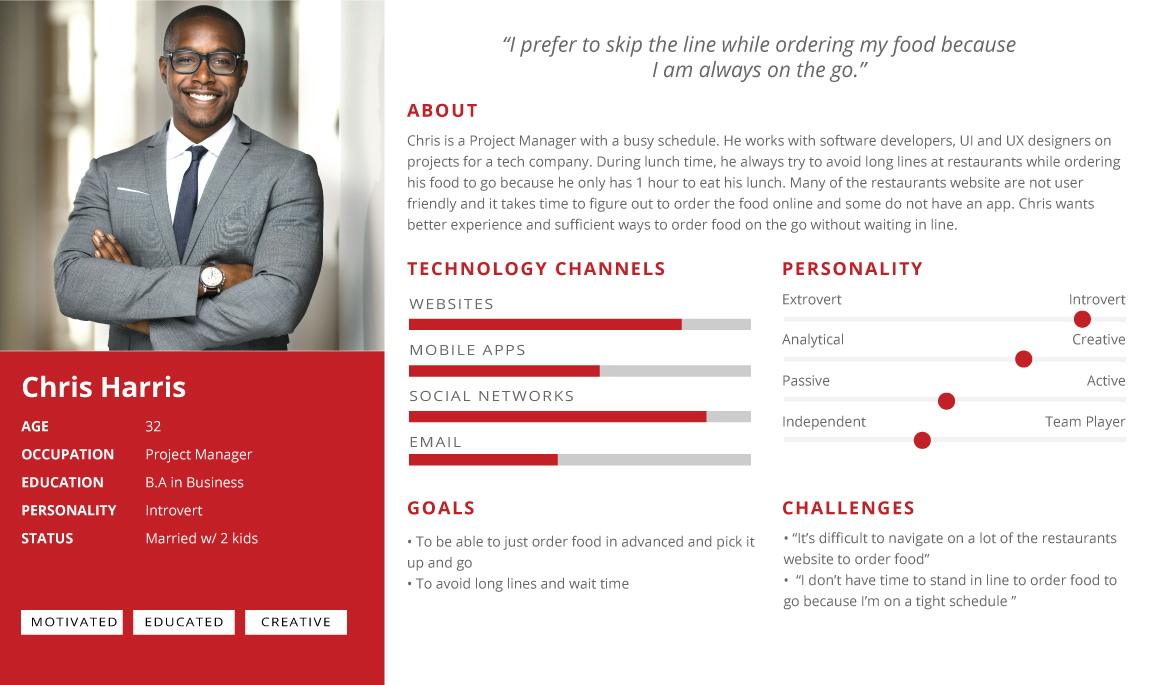
Persona & Problem Statement
Journey Map
Design Process
Crazy 8’s
I began to tackle potential solutions that to solve our problems. First, I spent time researching existing products and websites within the restaurant industry and I reviewed their existing problems and solutions. Next, I spent 8 minutes creating 8 rough sketches with the goal to push beyond my existing ideas.
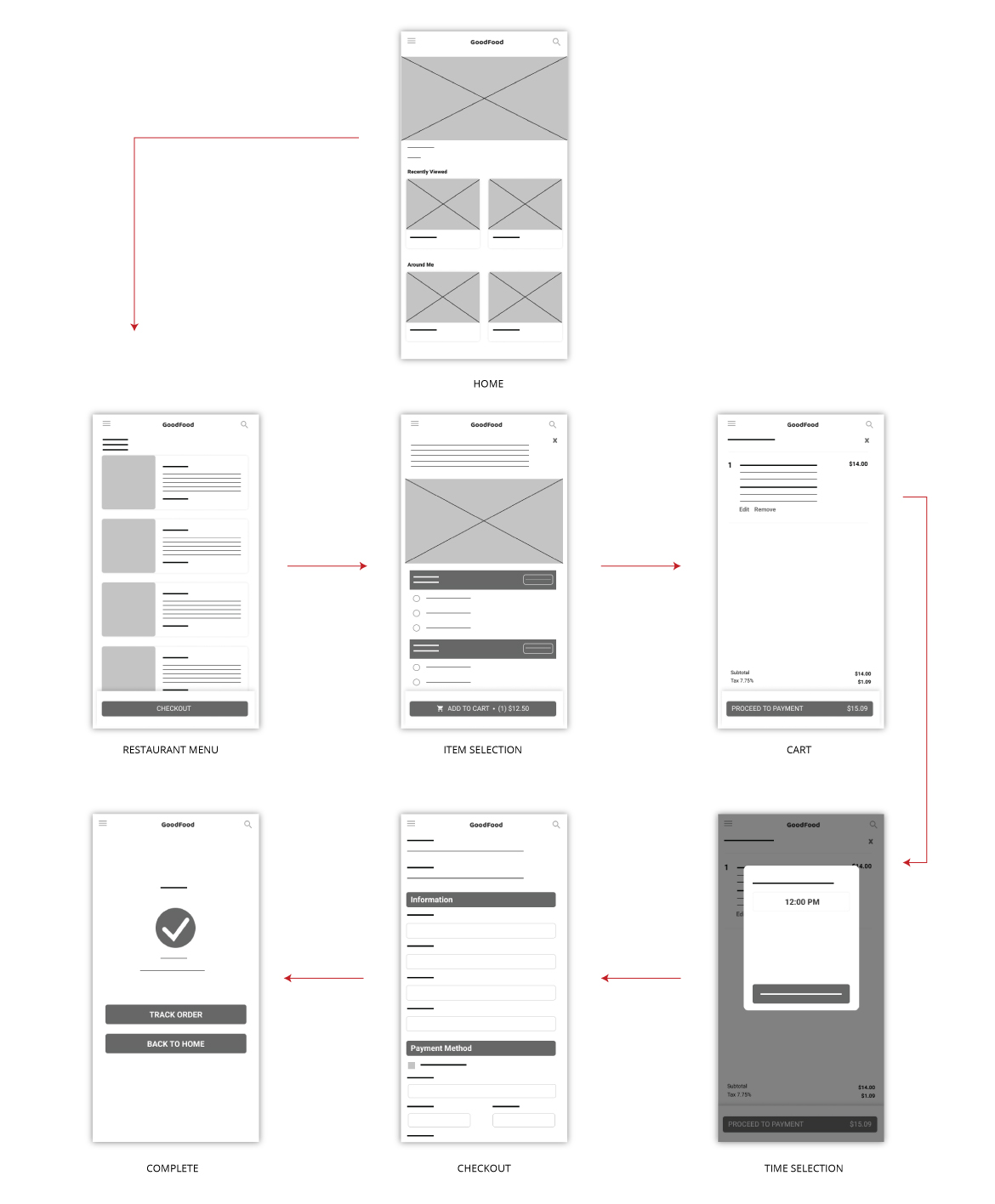
Lofi Wireframes
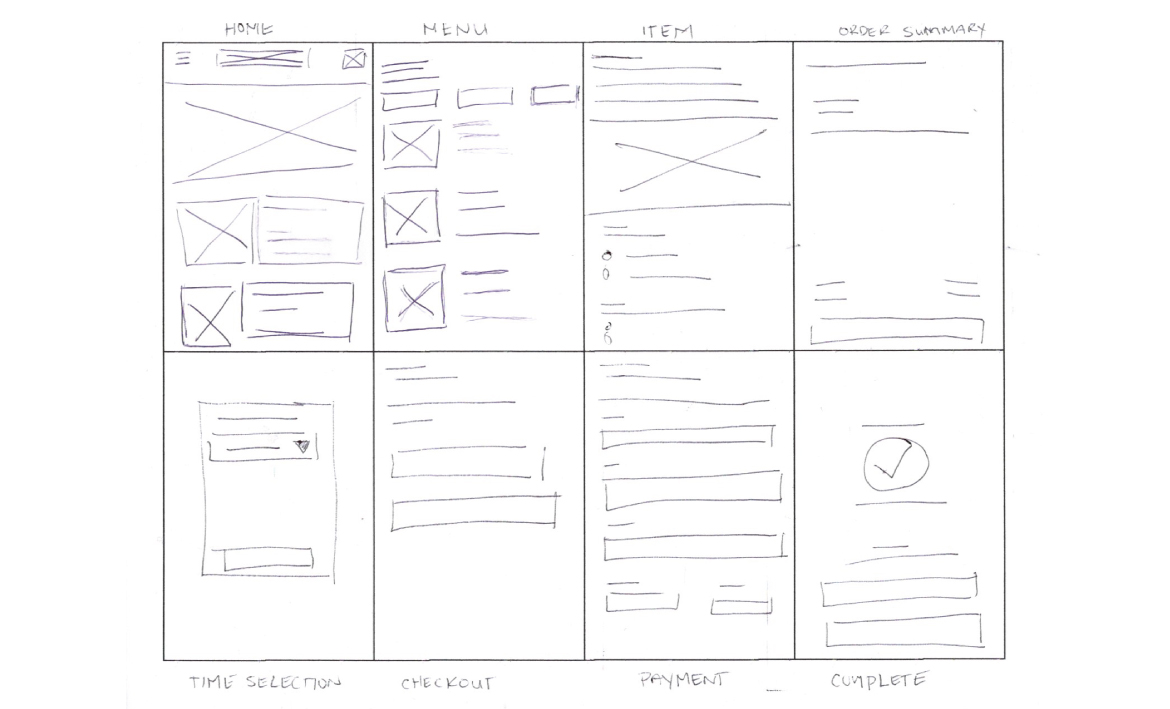
I created detailed wireframes that would convey my ideas more clearly. I kept my designs minimal and consistent, and made use of grids and hierarchy guidelines to help where I put everything on the screens.
Usability Study Findings
1.Checkout
People prefer to have guest checkout and not to create an account
2. Menu Content
Menu content needed refinement because it was confusing for some users
3. Time Selection
Pick up time selection should to be prompted after selecting a restaurant
Refining The Design
Accessibility Considerations
Color Contrast
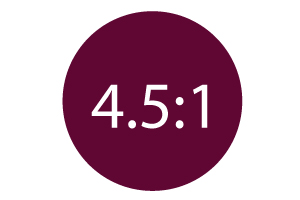
Color palette is maintained contrasts ratio as per wcag 2.0

Icons & Labels
Icons and labels are easier to read and can be used a screen reader

Feedback
Help form is added to address any accessibility needs
Hifi Wireframes
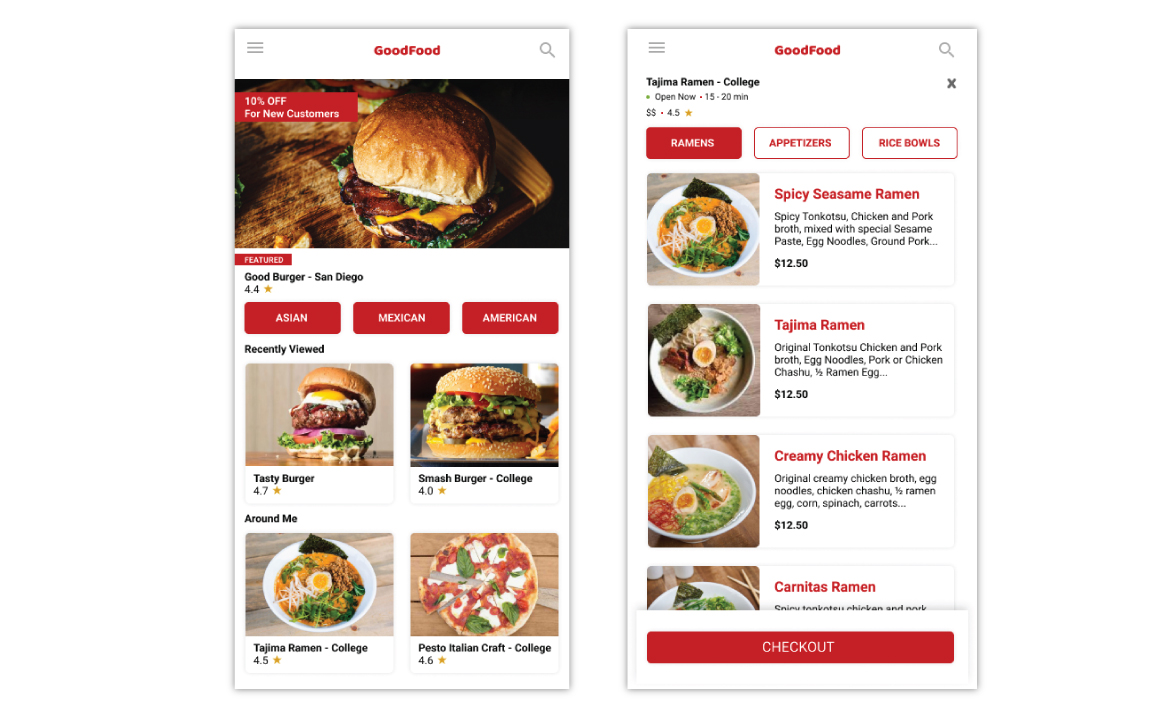
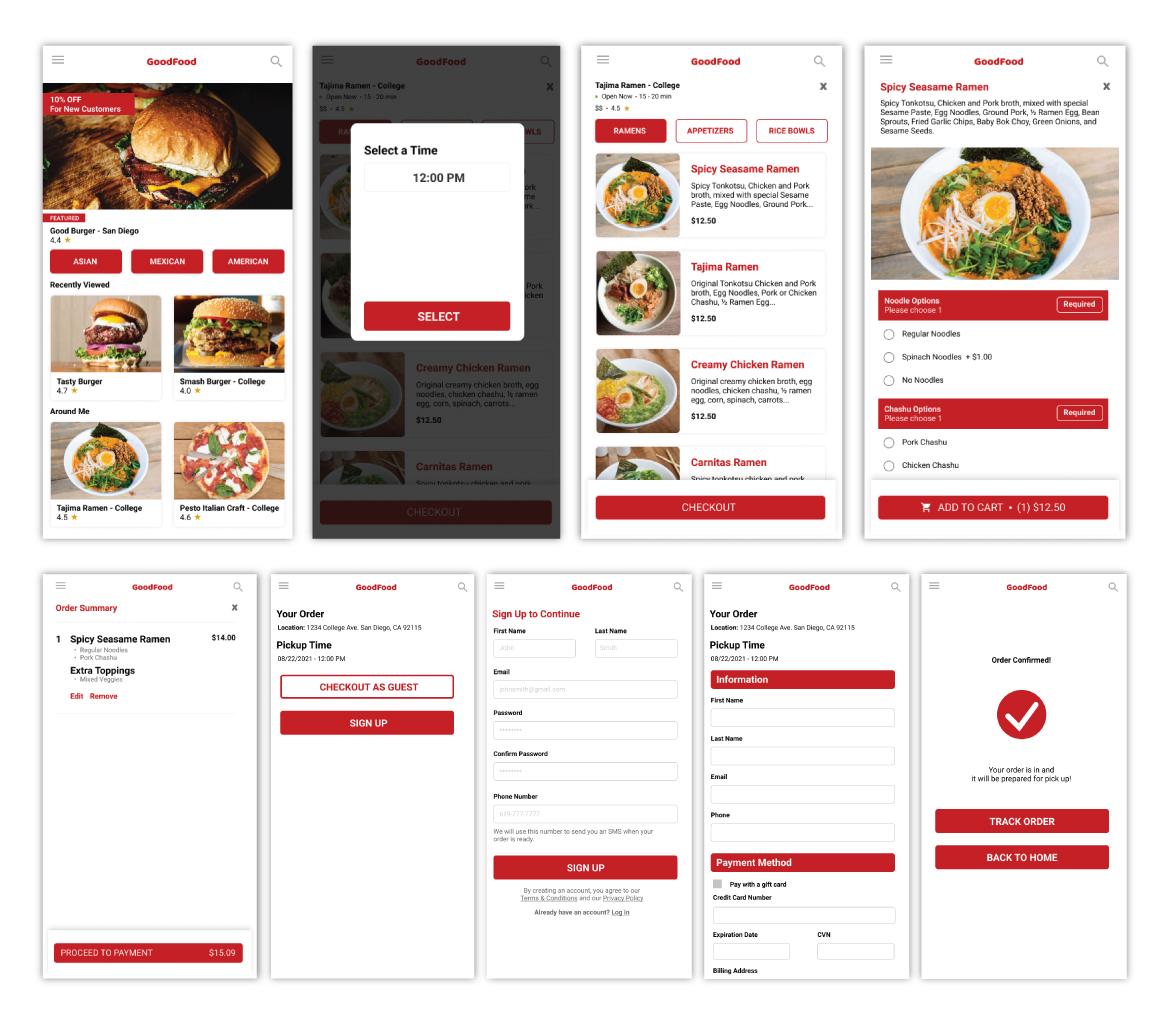
As I was developing the hi-fi wireframes, I wanted to focus on accessibility and usability. Below is the home screen and menu screen that I want to use for an example.
-
I used colors that were qualified for wcag 2.0 ratio.
-
I made buttons more visible and appealing for users.
-
Finally, I added fast filter buttons to allow users to narrow down what they want to order.
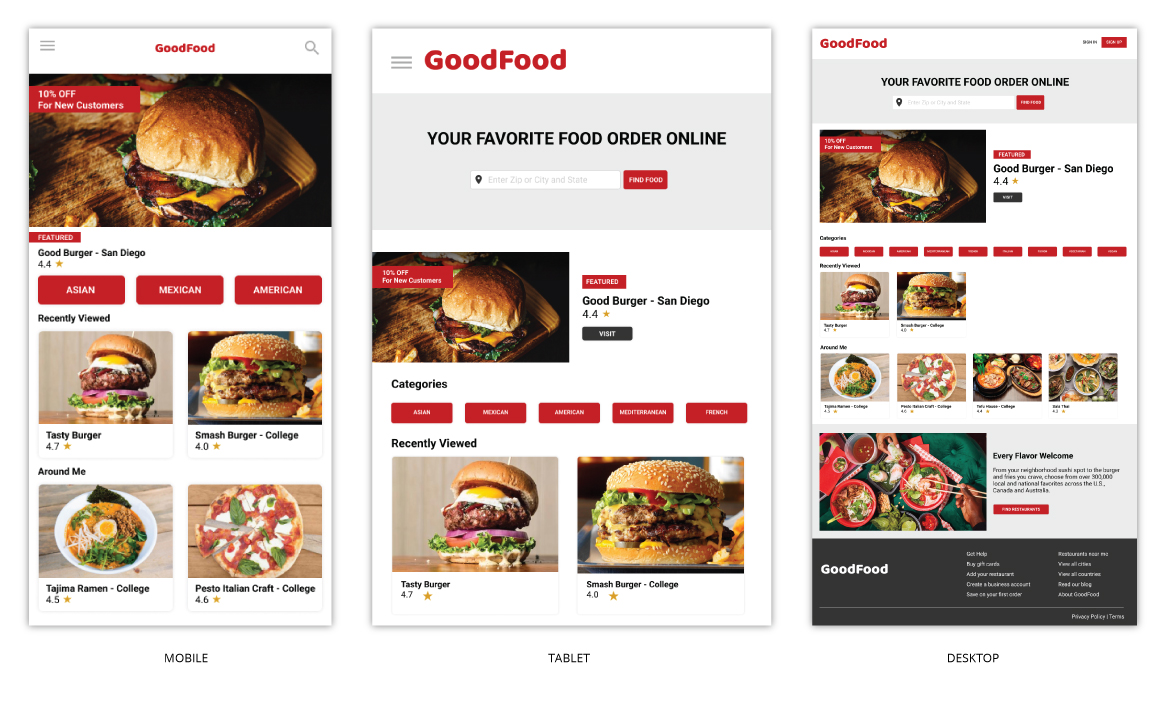
Screen Variations
Final Product
Going Forward
Takeaways
Impact
Users feel like the app will help them place online orders more at their favorite restaurants. In addition, it will help them manage their time more efficiently for those that are always on the go.
What I learned
Going through each step of the design process, I was able to provide solutions to many of the big problems that was brought up and make the app useful for many to use.
Next Steps
Feedback
Take in feedback after the app is launched.
Features
Add more features to the app to keep users coming back.