
Project Overview
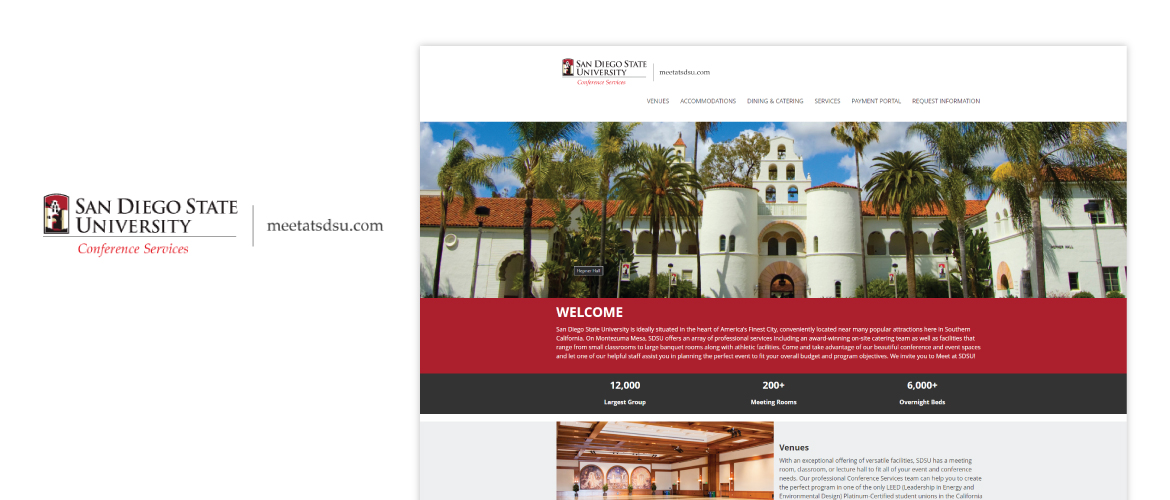
San Diego State University (SDSU) is ideally situated in the heart of America’s Finest City, located near many popular attractions in Southern California. On Montezuma Mesa, SDSU offers an array of professional services including an award-winning on-site catering team as well as facilities that range from small classrooms to large banquet rooms along with athletic facilities.
Role: UI UX Designer & Developer
Methods: Research, Journey Mapping, Solution Sketching, Wireframe, UI Design, Development
Tools: Design: Adobe Illustrator, Adobe XD, Lucid Chart | Development: ASP.NET MVC, C#, JavaScript, HTML, CSS
Platform: DNN(Dot Net Nuke)

Previous Website
The Problem
How can we help our users select a venue that meets their requirements to host a conference or a special event on campus?
Users want a great experience as they browse a website. They want to be able to find what they want on the website quick and easy.
The Goal
Our goal was to conduct research on other entities and redesign the Conference Services website to make it more modern, easy to navigate, and provide informational hierarchy.
Understanding the User
Competitor Analysis
My team and I researched other Southern California universities to see what they offer and other popular entities such as the San Diego Convention Center, hotels and business centers. We looked into their overall strategy and their marketing profile to see what made each of the venues popular and see how we can join in the competition.
I came up with a UX analysis that focus on usability, layout, and navigation, which revealed that these are the important components to focus on because it will help our users ease their search for a venue and provide them a great experience visiting our website.
User Stories
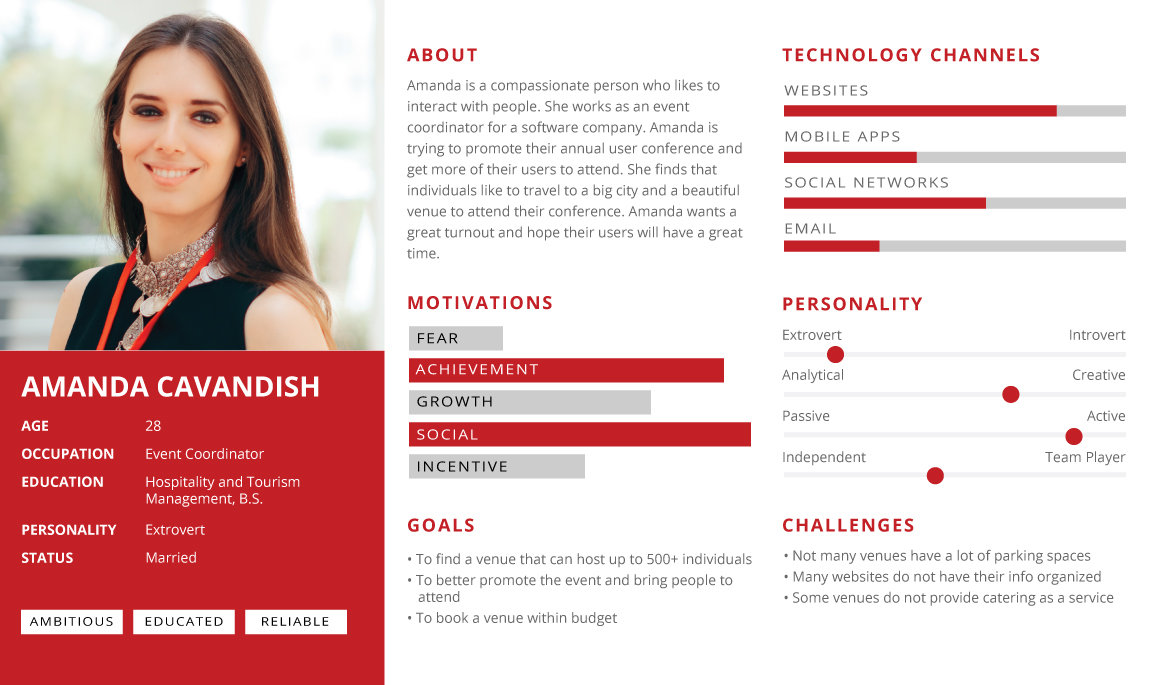
I created user stories to better understand the potential needs of individuals that need a venue to host their event.
| As a(n)… | I need to… | So that… |
|---|---|---|
| Event Coordinator | be able to find a place that can host 500+ individuals and provide catering services | the conference can be a success |
| Bride to Be | find a venue that can host up to 100 individuals and is affordable | I can have a memorable wedding |
User Pain Points

Navigation
Design of the website is busy, which causes unclear navigation

Information Hierarchy
Content on the website was not clear and unorganized
Experience
Event website do not provide an engaging browsing experience
Persona & Problem Statement
Design Process
Sitemap
To gain an insight as to how users might expect the content to be organized and displayed, I created a sitemap to layout all the pages.

Solution Sketching
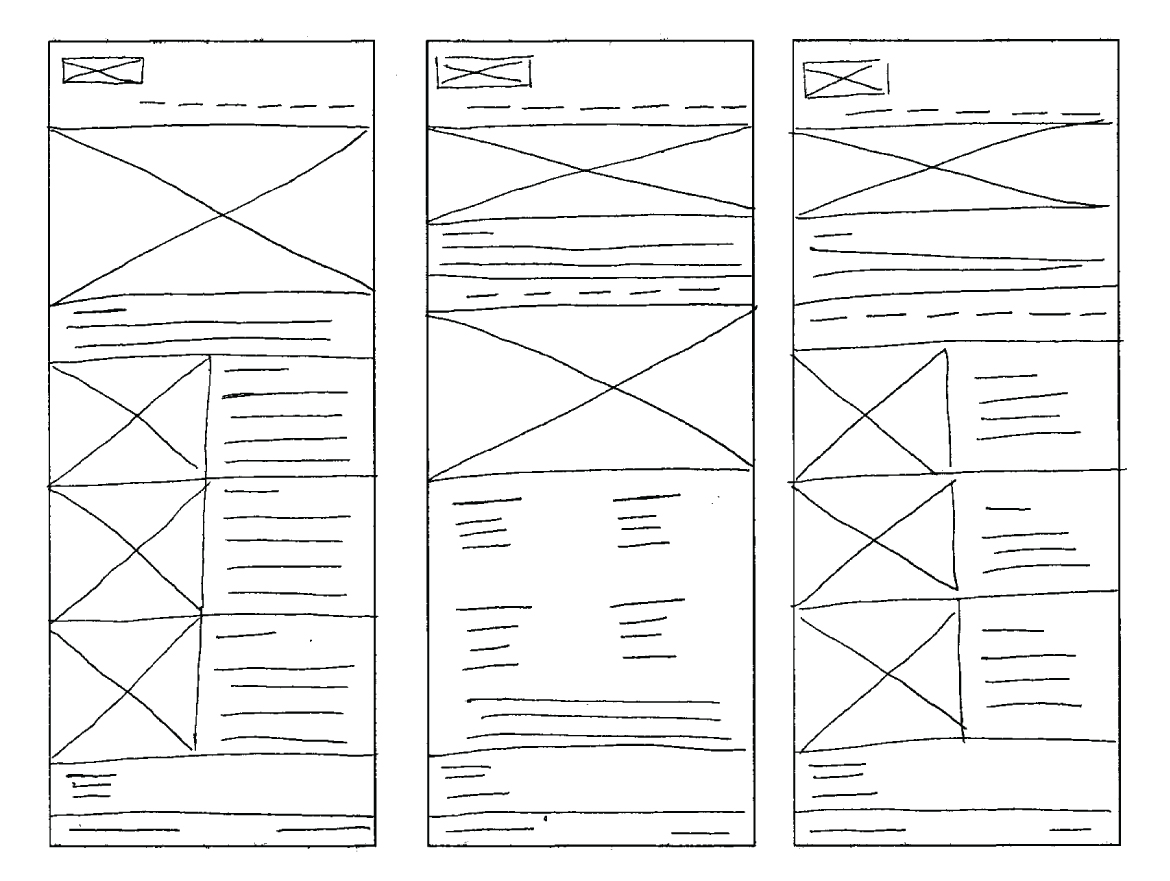
I sketched out paper wireframes for each page, keeping the user pain points about navigation, information hierarchy and experience in mind. Below are paper wireframe examples of some of the pages.
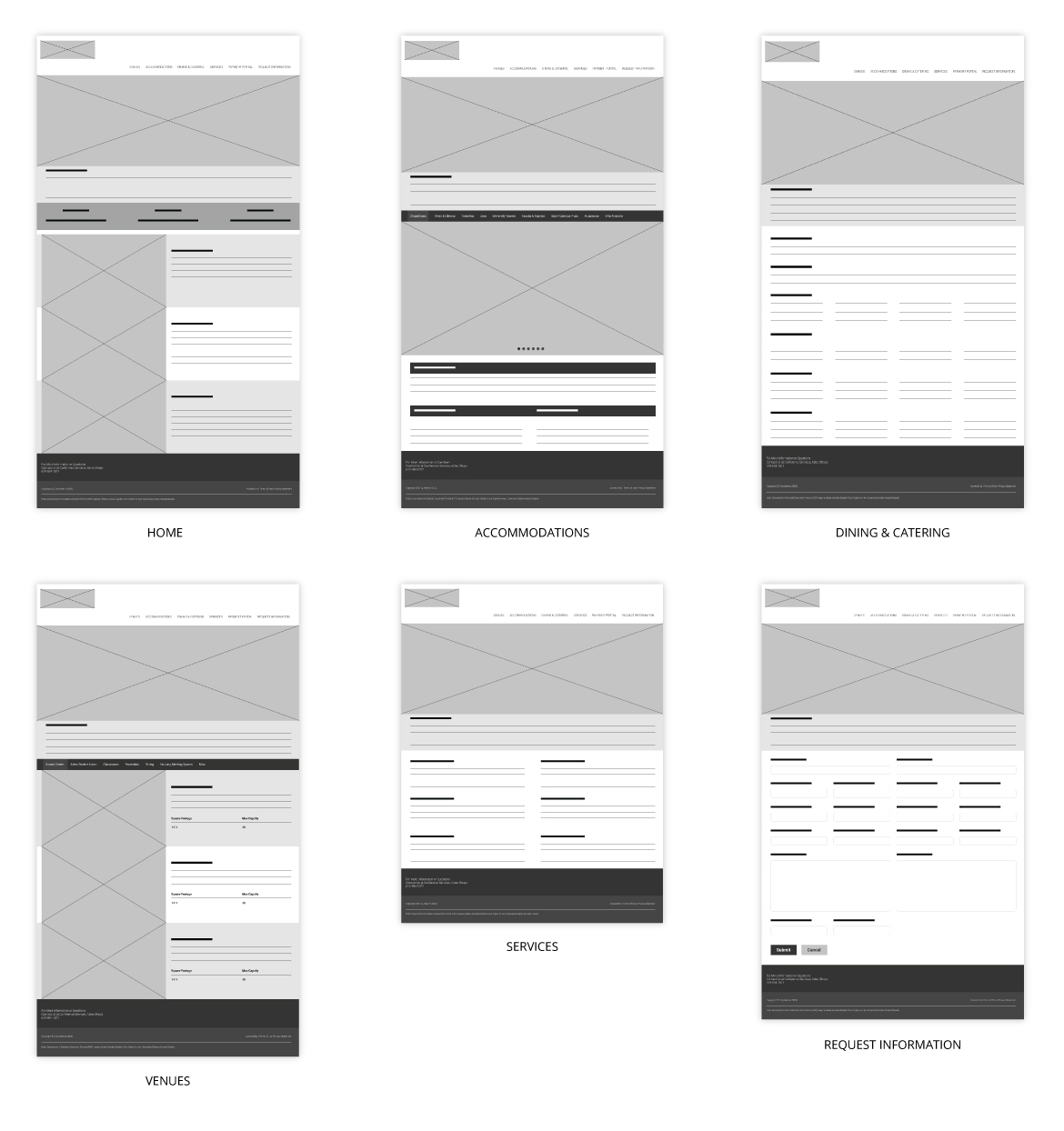
Lofi Wireframes
Moving from paper to digital wireframes made it easy to understand how the redesign could help address user pain points and improve our user experience. Prioritizing headers, visual element placement, and the use of the brand colors was a key part of my strategy.
Usability Study Findings
1. Photos
Users want more photos for visual content
2. Sub-navigation
Sub-navigation needs to be highlighted when it is active
3. Content
Content can be overwhelming and it can be simplified
Refining The Design
Accessibility Considerations
Color Contrast
Color palette is maintained contrasts ratio as per Wcag 2.0

Alternate Text
Description for images provided for the screen reader
Feedback
Help form is added to address any accessibility needs
Hifi Wireframes
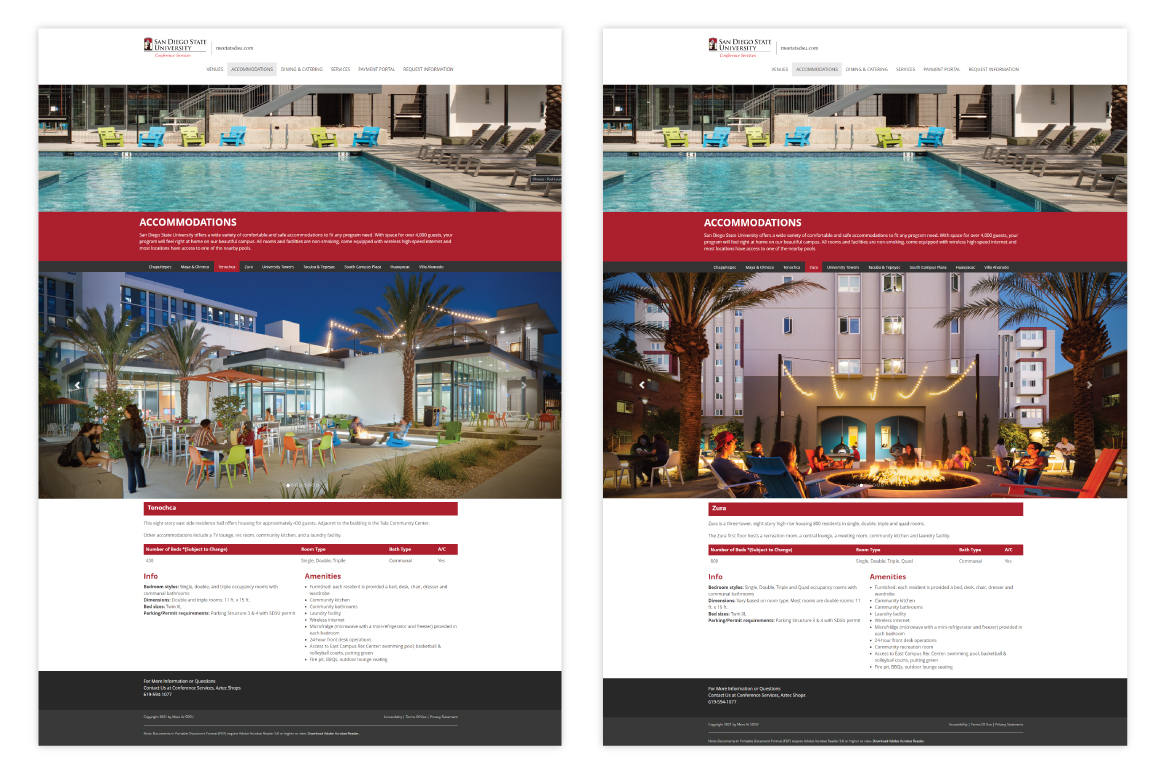
As I developed the hi-fi wireframes, I wanted to focus on accessibility and usability. Below is the Accommodations page that I want to use for an example.
-
I used colors that were qualified for Wcag 2.0 ratio.
-
I made headers more visible and appealing for the users.
-
Finally, all of the images have alternative text tags to describe what they are for screen readers.
Screen Size Variations

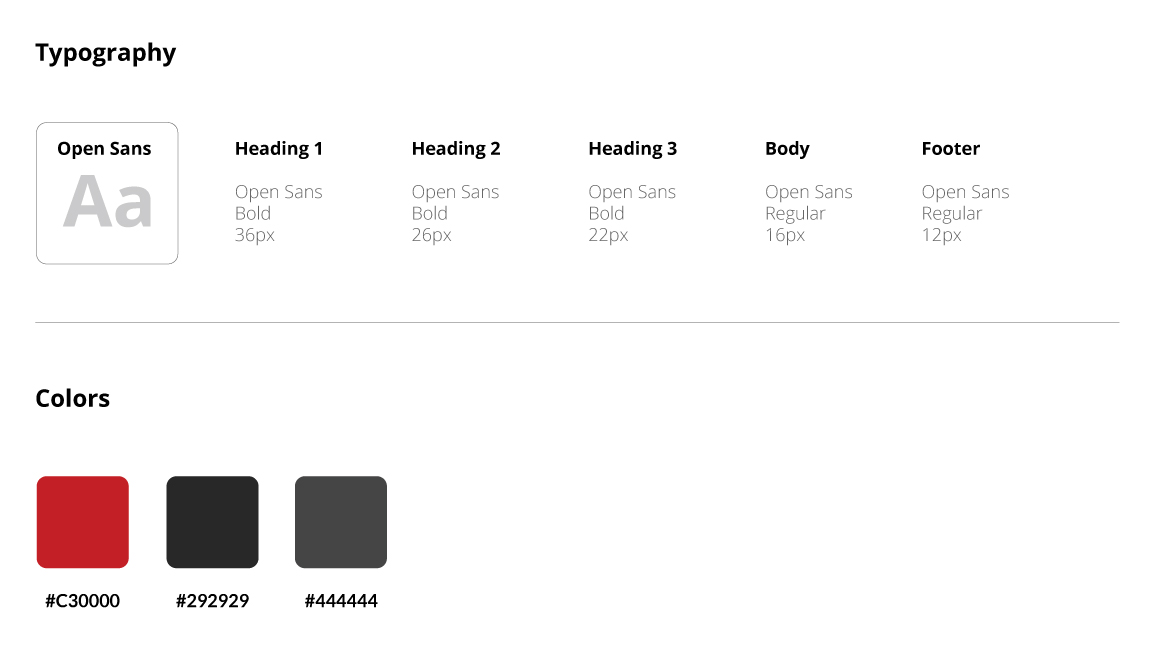
Style Guide
Final Product

Going Forward
Takeaways
Impact
Our target users shared that the design was intuitive to navigate through, more engaging with images, and demonstrated a clear visual hierarchy.
What I learned
I learned that even a small design change can have a huge impact on the user experience. The most important takeaway for me is to always focus on the real needs of the user when coming up with design ideas and solutions.
Next Steps
1. Ideation
Identify any additional areas of need and ideate for new features
2. Marketing
Find ways to drive more traffic to the website